
Online Safety
Online Safety at Waddington & West Bradford C of E Primary School
Working together to help children stay safe, happy and confident online.
📢 Latest Online Safety Updates
Featured This Month: Cat in the Hat- Click here to read about and what to look out for?
Wake up Wednesday- A weekly upload to heighten parents and carers awareness of online concerns.
Welcome to Our Online Safety Hub
The internet offers fantastic opportunities for learning, creativity and communication. At Waddington & West Bradford C of E Primary School, we are committed to helping children enjoy these opportunities safely and responsibly.
We believe that online safety works best when schools and families work together. Through our curriculum, assemblies and pastoral support, we help children develop the skills and confidence needed to navigate the online world safely.
This page provides practical advice, useful resources and guidance for parents and carers.
- Online Safety Policy
What We Teach about Online Safety
- Protecting personal information.
- Recognising and reporting concerns.
- Respectful online behaviour.
- Understanding online relationships.
- Managing digital footprints.
- Recognising misinformation and fake content.
- Safe use of technology and AI tools.
The 4 Cs of Online Safety
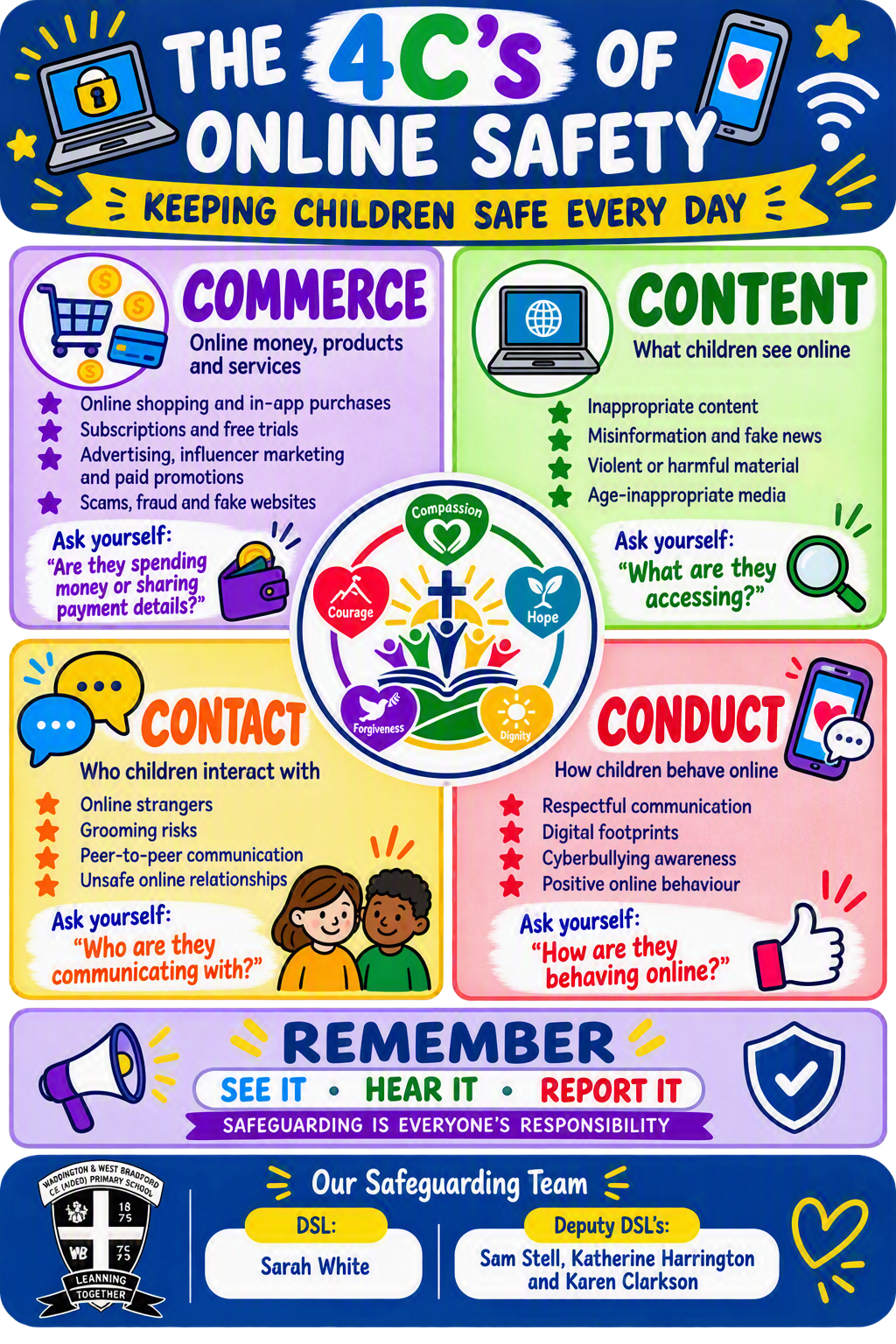
📺 Content
Helping children understand and respond to harmful, misleading or inappropriate content online.
💬 Contact
Learning how to communicate safely and what to do if online contact causes concern.
🤝 Conduct
Promoting respectful, responsible and kind behaviour online.
💳 Commerce
Understanding scams, advertising, subscriptions and in-app purchases.
Top Tips for Parents and Carers
- Talk regularly with your child about their online experiences.
- Know which apps, games and websites your child uses.
- Use parental controls on devices and gaming platforms.
- Check age ratings before downloading apps and games.
- Create family agreements around screen time.
- Encourage children to speak to a trusted adult if something worries them.
- Model positive online behaviour yourself.
Popular Apps & Games
We encourage parents to familiarise themselves with platforms commonly used by children.
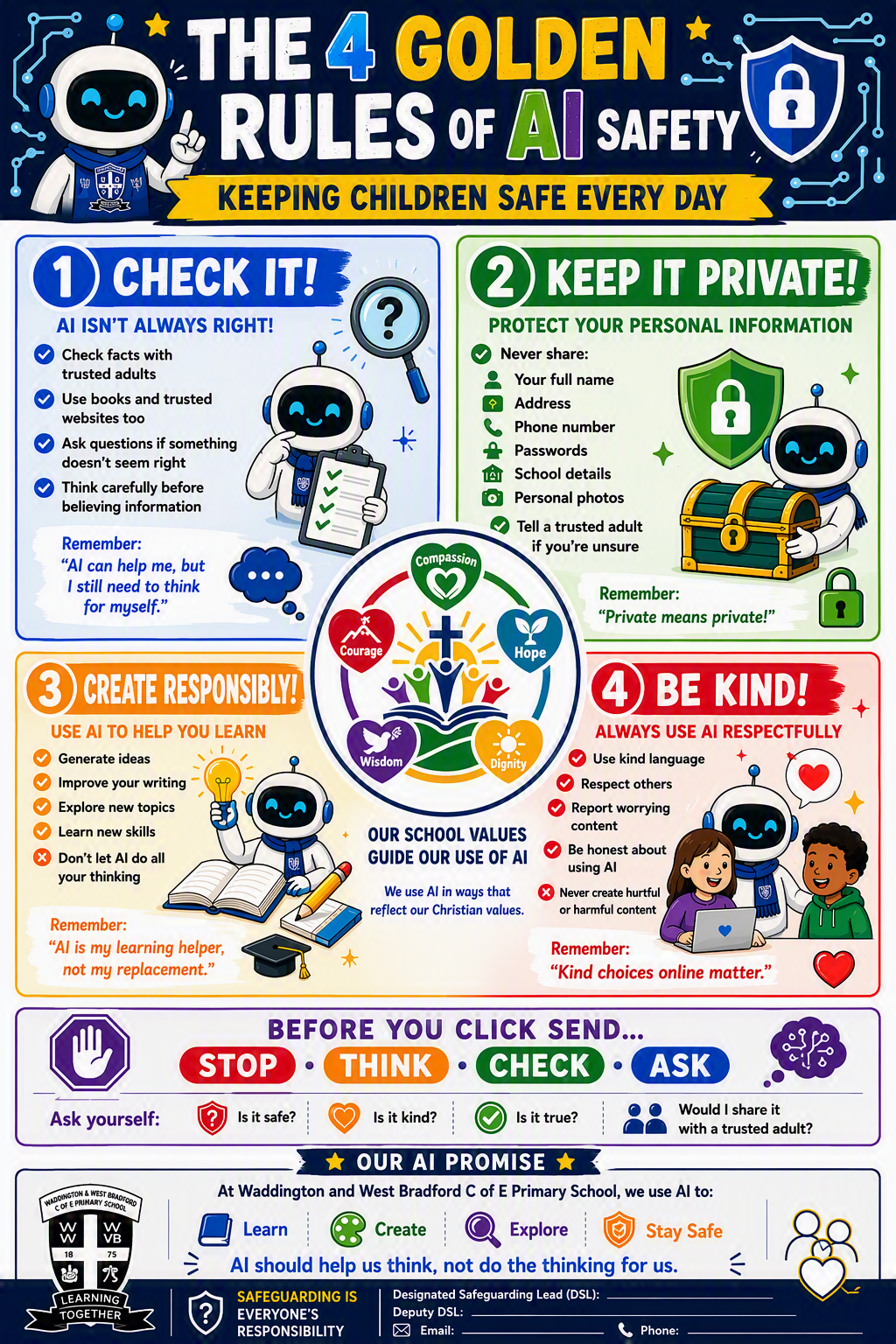
Artificial Intelligence (AI)
Many children now encounter AI through educational tools, search engines and online apps. We teach pupils to use AI responsibly and critically.
- Check information carefully.
- Never share personal information.
- Understand that AI can make mistakes.
- Use AI ethically and responsibly.
What Should I Do If My Child Is Worried?
- Stay calm and listen.
- Reassure your child they have done the right thing by telling you.
- Save screenshots or evidence where appropriate.
- Block and report users when necessary.
- Contact the school if support is required.
- Contact the police immediately if there is a risk of harm.
Parent Workshops & Events
Throughout the year, we aim to offer guidance sessions to support families with:
- Gaming and livestreaming safety
- Social media awareness
- Artificial intelligence
- Parental controls
- Digital wellbeing
Workshop dates, presentations and recordings will be added here.
Download Our School Resources
Useful Websites for Parents
NSPCC
Expert online safety advice for families.
Thinkuknow
Resources from the National Crime Agency.
CEOP -CEOP education
Childline
Support and advice for children and young people.
https://www.childline.org.uk Visit Childline →